
Tap Dungeon Guides Hub
Practical notes for a pixel roguelike that punishes greedy taps.
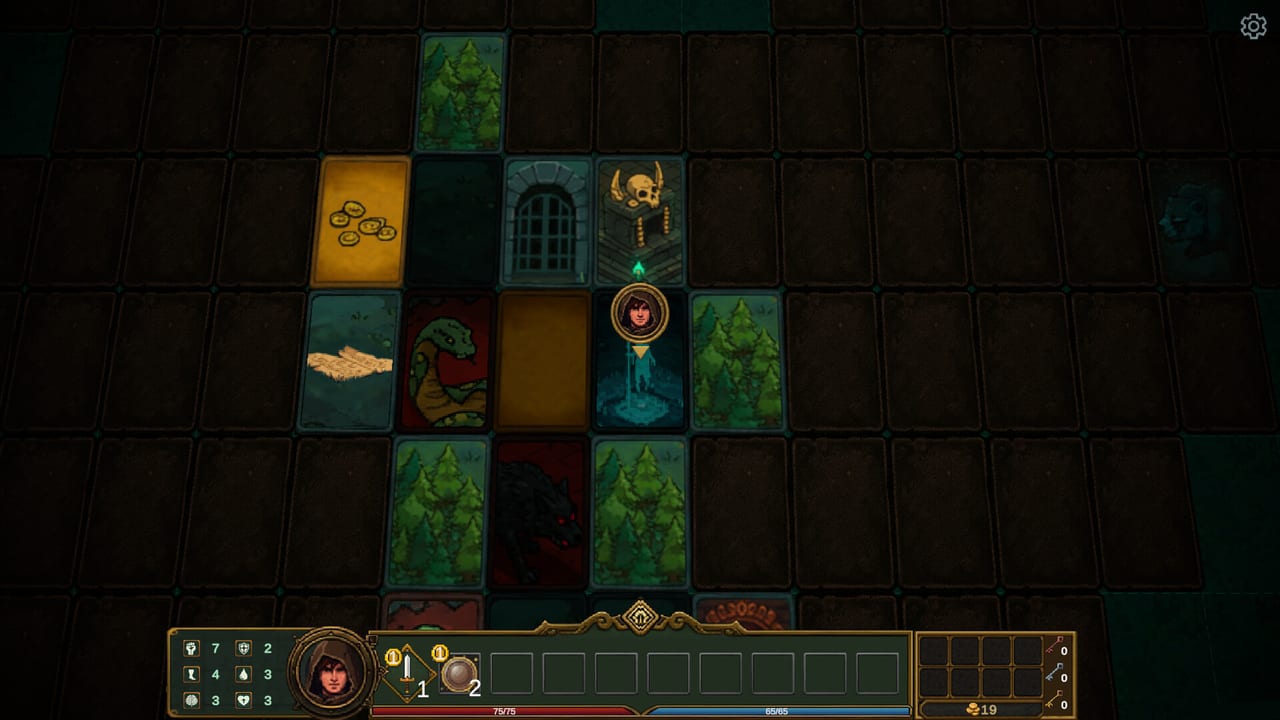
This hub is the map of every tutorial on the wiki. Tap Dungeon looks like a light clicker from the title, then it drops you into a turn-based card maze where one greedy event can delete a floor. If you are new, start with the beginner guide and how to play. If the cursor is the problem, open controls. If a fight will not die, open combat. If you already died to armor or a surprise elite, jump to builds or hidden bosses.
What this game actually asks of you
Xiao5 Studios shipped a single-player Steam Windows roguelike on 27 August 2026. You play an adventurer from the Duchy of Lyle, tapping tiles and event buttons rather than walking a free 3D camera. Combat is turn-based. Floors are randomly generated card mazes. Death is a rebirth, which is the polite way of saying your kit resets and you try a smarter mix of skills, items, and sub-classes.
The store copy is short on exact skill names, and that is fine: the pain is decision quality, not memorising a wiki dump of numbers that will patch. Official biomes include forests, swamps, snowy plains, deserts, and abandoned ancient cities. Official foes include goblin tribes, orcs, and undead. Official toys include artifacts, hidden bosses, and a talent system that the demo deliberately omits.
How to use these guides without lying to yourself
Read in this order unless a specific problem is already eating your runs:
- Getting started — install, first class, first events, when to abandon.
- How to play — HUD, card maze, skill bar, floor lords.
- Dungeons — biomes, forks, and why the next area gate wants a boss dead.
- Artifacts — event trades, gold pits, keys, beggars.
- Builds — mixing class, sub-class, and items without a random pile.
- Hidden bosses — when a secret fight is bait versus a trophy.
- Review — launch-week score, bugs, and who the game is for.
- Controls — cursor, skill strip, Steam Input, no invented WASD.
- Combat — how to beat fights, armor bricks, and floor lords.
Pair those with the class hub and the class tier list. The class picker exists for the ten-second decision at character select. The system requirements page exists so you do not buy a dungeon crawler your laptop cannot open.
Search intents these pages are built for
Players do not type “narrative themes of isekai pixel nostalgia.” They type how to play, how to beat a floor, how to find a hidden boss, which class is good, and whether the demo is worth the evening. This hub is wired to those questions on purpose.
How to play is not a control sheet stolen from another crawler. It is the loop visible in the official trailer: tap a card or event, read the trade, spend HP or gold, then live with the HUD at the bottom of the screen. How to beat a floor is not a numbered boss HP table we invented. It is the on-screen rule that a fork to the next region wants the current floor lord dead. How to find secrets is the same discipline: do not walk past every event because you are racing a timer that does not exist.
Demo players versus full-version players
If you bounced off the free demo, you did not fail the game. The demo is two floors, difficulty one, Warrior plus unlockable Assassin, and no talent tree. The demo notes exist so you stop judging Mage, Alchemist, Guardian, and the talent layer from a preview that never offered them. The launch notes cover what shipped on Steam in late August 2026: introductory price, achievements, Steam Cloud, and the very-positive first review band.
What we will not invent
This wiki does not mint fake skill IDs, fake boss HP, or fake YouTube videos. Xiao5 has not published a public spreadsheet of every artifact. Launch-week Steam comments mention awkward translation and at least one gold-related bug report; we record those as player reports, not as patch notes. When a number is official — five classes, 33 achievements, Windows 10 minimum, intro price until 10 September 2026 — it is labelled as official.
If you want studio channels rather than our wording, use the links hub. Discord, the Steam page, and the studio socials are the place to confirm a hotfix. This guides hub is the place to decide what to tap next.
A short honest warning
Tap Dungeon is cheap, short-session friendly, and mean about greedy events. The rotting-meat gold pit that pays coins and deletes health is the whole design in one screen. If that trade makes you grin, stay. If it makes you alt-tab, the review will tell you so without a sales pitch.
Frequently Asked Questions
Launch-week answers for new adventurers from the Duchy of Lyle.
Which Tap Dungeon guide should I open first?
The beginner guide if you have not cleared a floor yet. The how to play page if you already opened the card maze and felt lost. The demo notes if you are still on the two-floor preview.
Do these guides work for the demo?
Combat and events do. Talents, extra difficulties, and three of the five classes do not. Read the demo comparison before you write the full game off.
Where are class pages?
Under the class hub. This Guides hub stays on systems: combat, dungeons, artifacts, bosses, and builds.
Is there a codes page?
No. This is a paid Steam roguelike. Spend the time on artifacts instead of hunting coupons that Xiao5 has not published.